Integrate Customer.io into your Tiendanube store in minutes. The app automatically installs a tracking script that records page views, identifies customers, and captures leads from forms.
Installation
- From your Tiendanube dashboard, go to My Applications
- Search for Customer.io Tracker and install the app
- Accept the permissions — you will be automatically redirected to the settings panel
Settings
Once installed, open the app from your Tiendanube dashboard and complete the following fields:
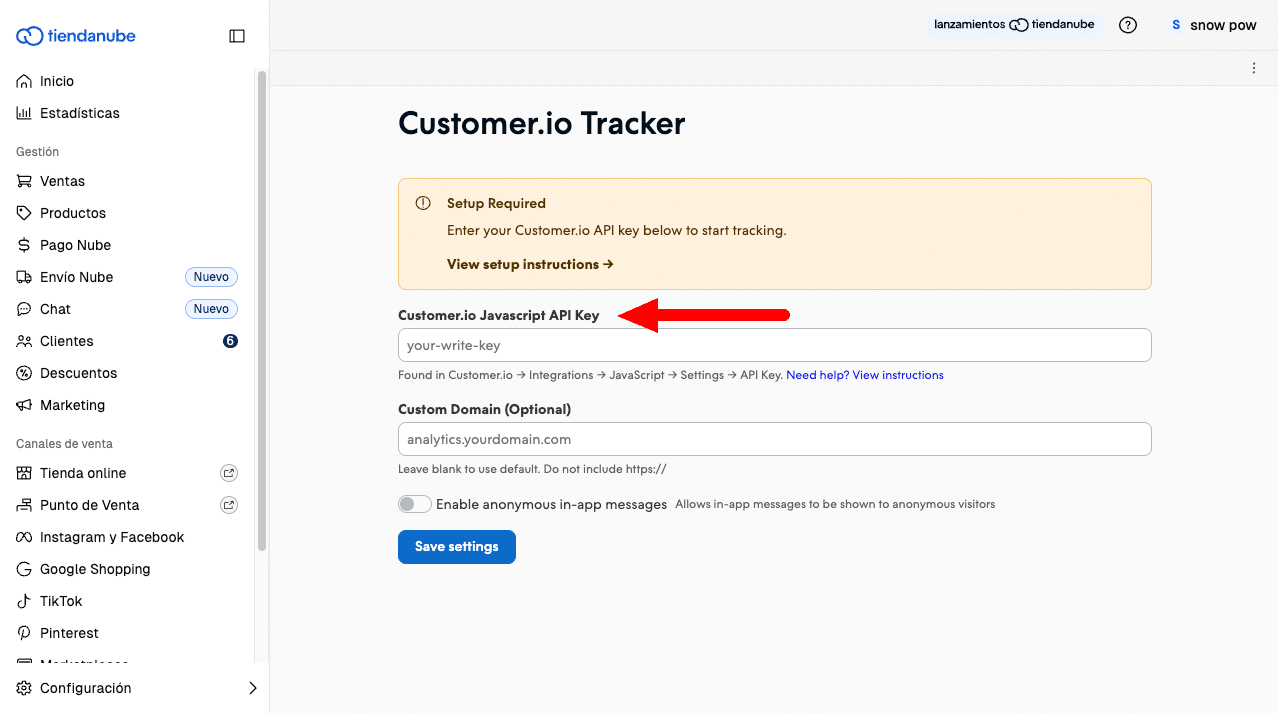
Write Key (required)
This is the key that connects your store to your Customer.io account.
How to get it:
1. Log in to your account at customer.io and
2. Go to Integrations -> Add integration
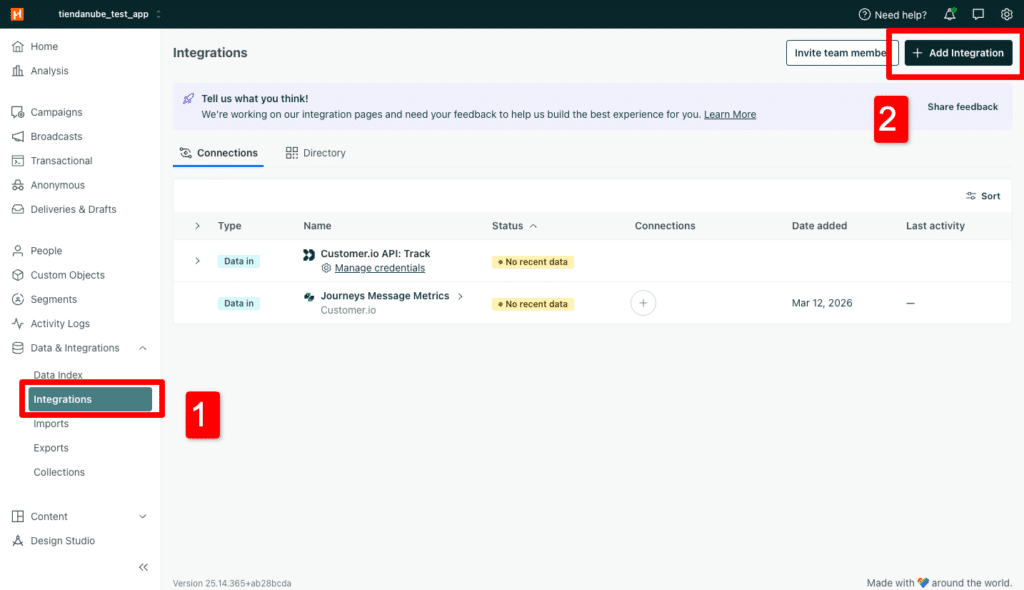
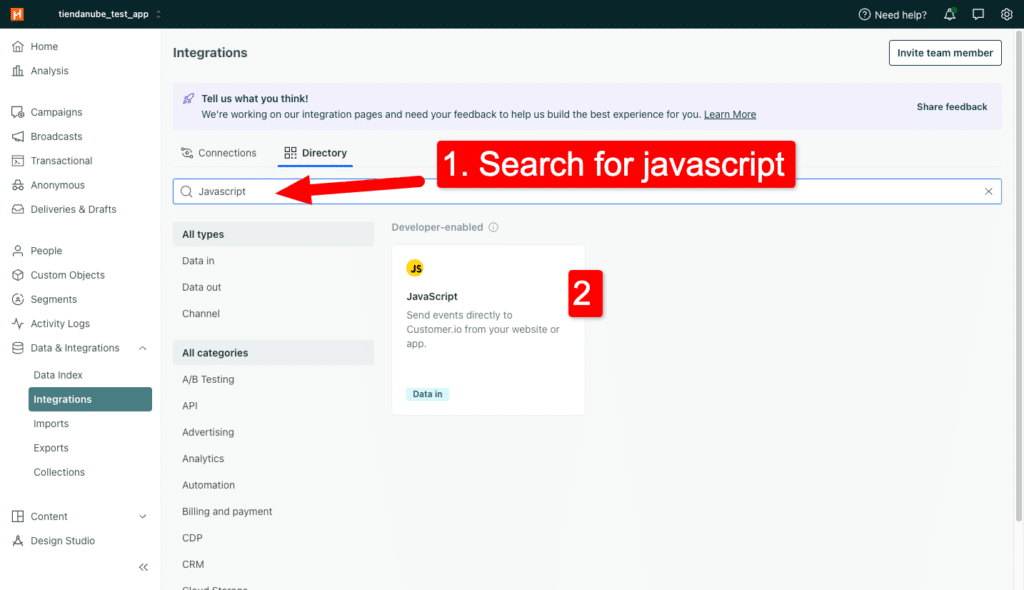
3. Go to Add integration → Sources → JavaScript
4. Click the button Save & Complete Later
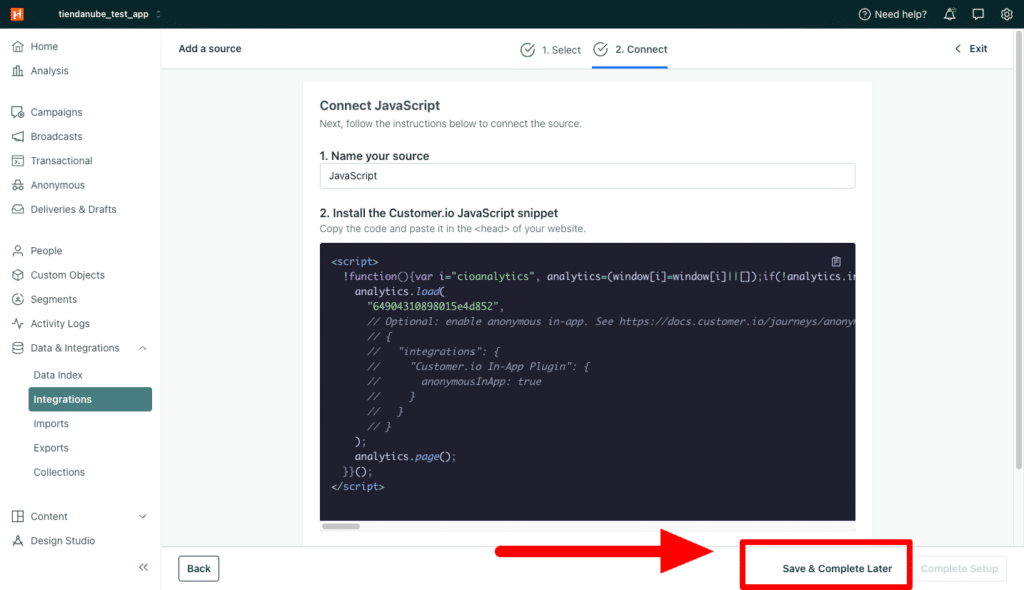
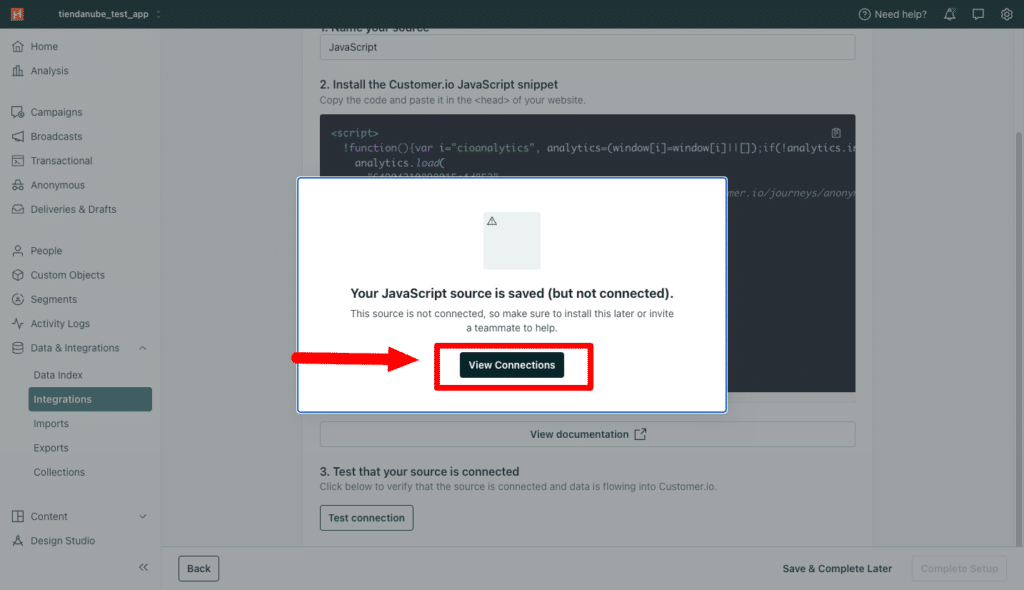
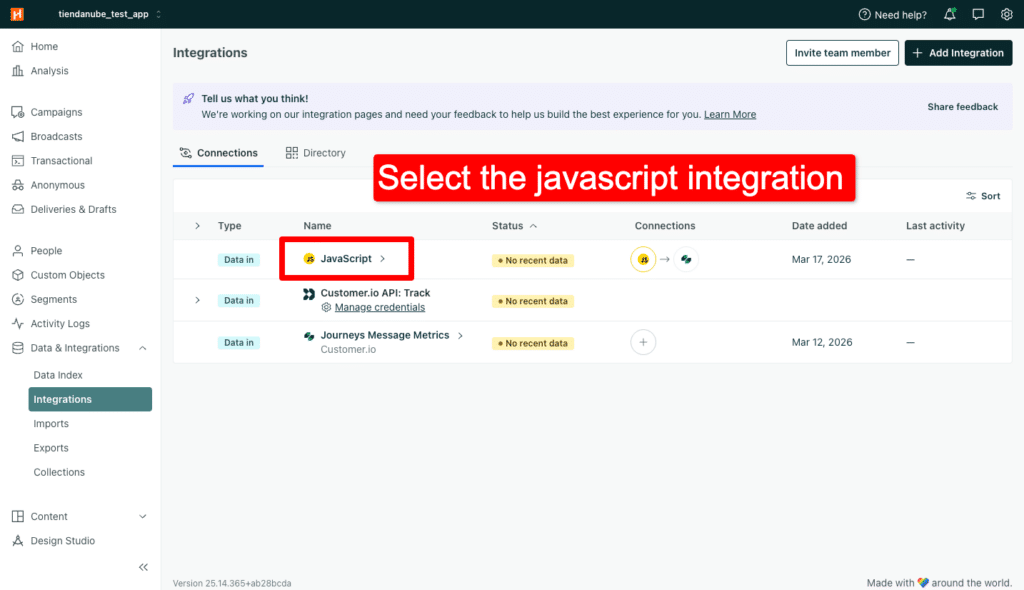
5. Open the new javascript connection
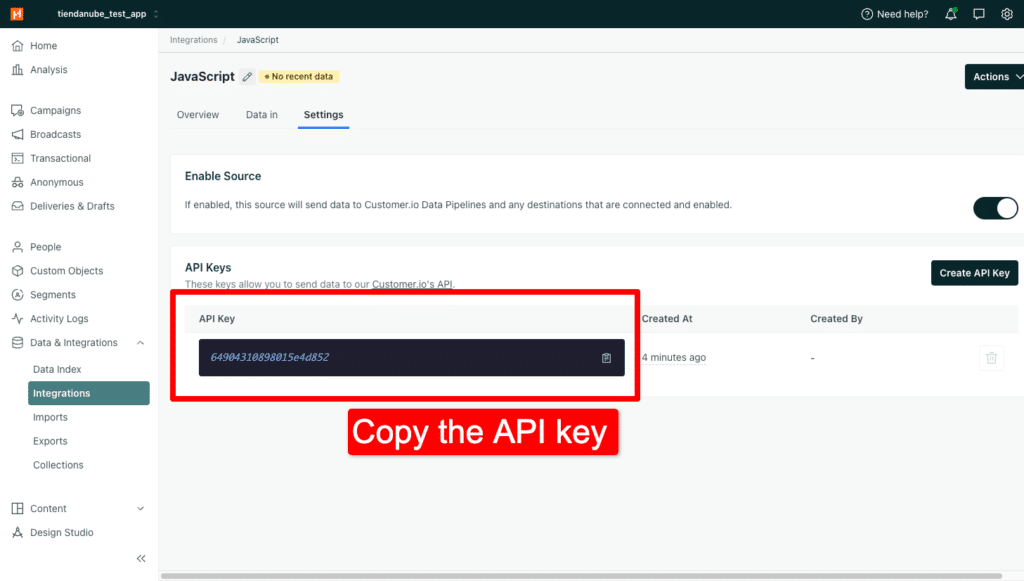
6. Copy the Write Key
7. Insert the API key in Tiendanube app
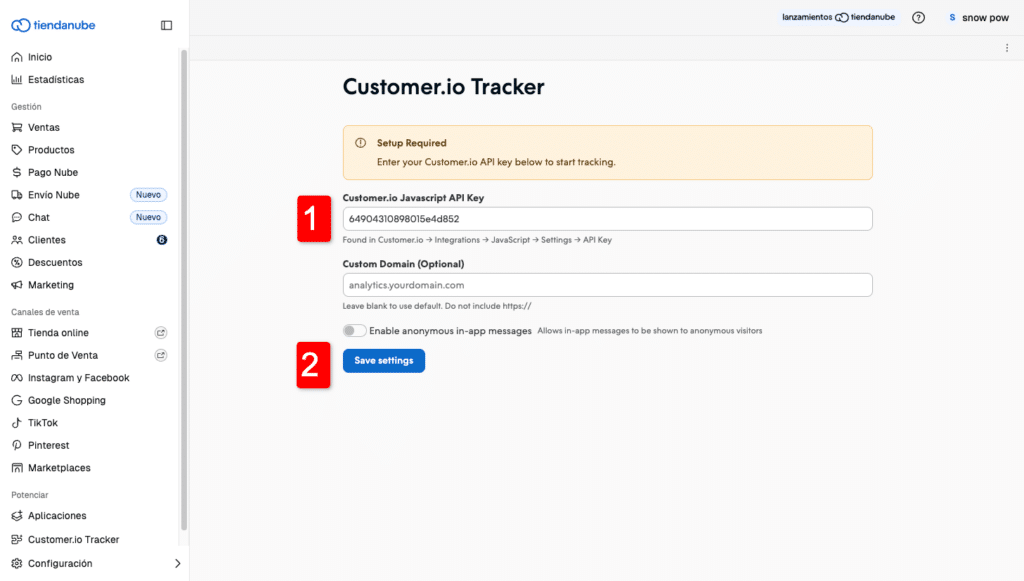
Custom Domain (optional)
Allows tracking calls to go through your own domain instead of cdp.customer.io. Useful for bypassing ad blockers.
How to set it up: See the official documentation
Enable Anonymous In-App (optional)
Enables Customer.io in-app messages for anonymous (unidentified) visitors.
See the official documentation