You see which accounts are going cold before you lose them.
A group that went from twenty messages a day to none is a signal. Today nobody sees it until the customer leaves; with whisper you see it in time to act.
whisper · WhatsApp group management
With whisper you know which customer is waiting for a reply, which account is going cold and what was agreed in every group, even after the salesperson is gone.
What changes
A group that went from twenty messages a day to none is a signal. Today nobody sees it until the customer leaves; with whisper you see it in time to act.
What was promised, the prices and the dates stay with the company. Whoever takes over an account understands it from day one, without starting from zero.
Many agreements are closed by voice note. Now they can be searched, quoted and brought into a report.
Which customers are waiting for a reply and who is answering, without asking anyone to forward screenshots.
Who it is for
B2B sales
Every account in view, with its activity, so the pipeline does not depend on what each salesperson remembers.
After-sales
In services that last months, people change on both sides. The full conversation is still there for whoever takes over the account.
How the information flows
Your WhatsApp numbers
Sales
After-sales
Support

Your stack
AI agents
Reports and data warehouse
Your CRM, by external ID
WhatsApp is a trademark of Meta Platforms. whisper is not affiliated with Meta.
AI agents
Connect your AI agents to everything that happens in your groups and get answers in seconds that today take reading a hundred chats.
Which customers have gone more than 48 hours without a reply from our team?
Summarize what this customer asked for last month and what is still pending.
Which accounts mentioned cancelling, delays or price this week?
What was agreed in Tuesday’s voice note with the customer?
The product
You connect your WhatsApp numbers in minutes and the phones keep working as usual.
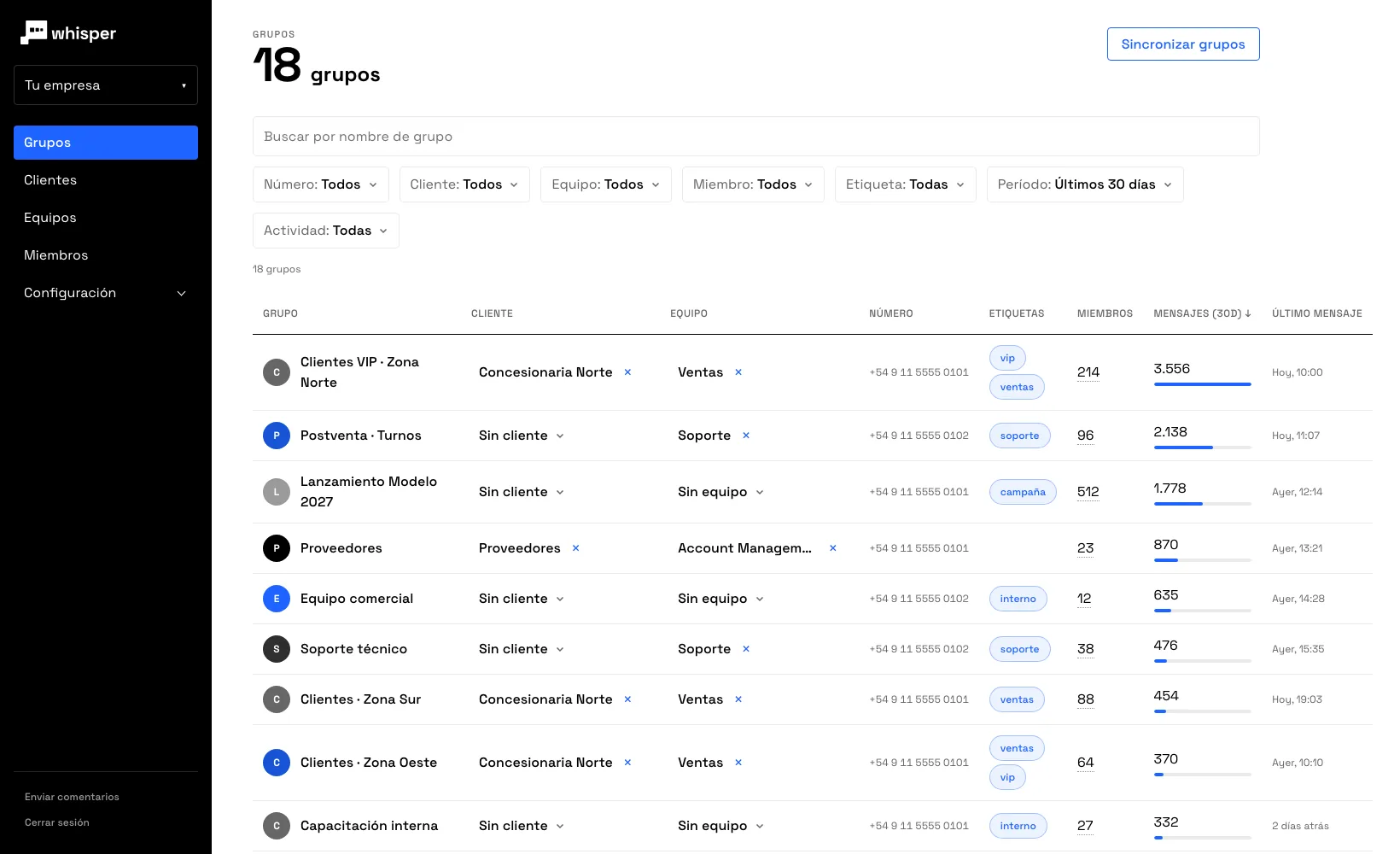
Each group with its customer and its activity over the last month. The ones that went quiet stand out.
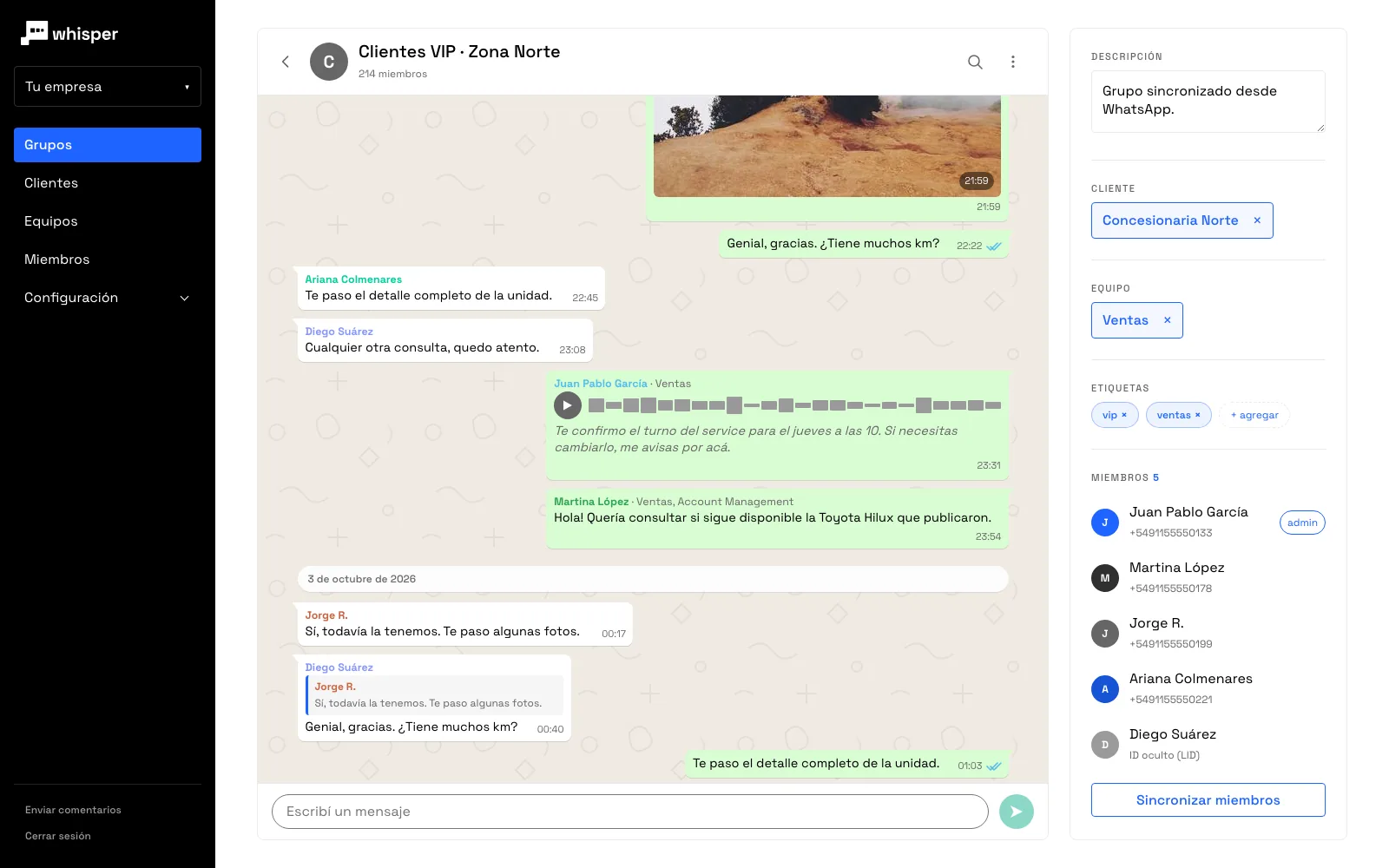
What was said in writing and by voice note, in one place, for whoever has to take over the account tomorrow.
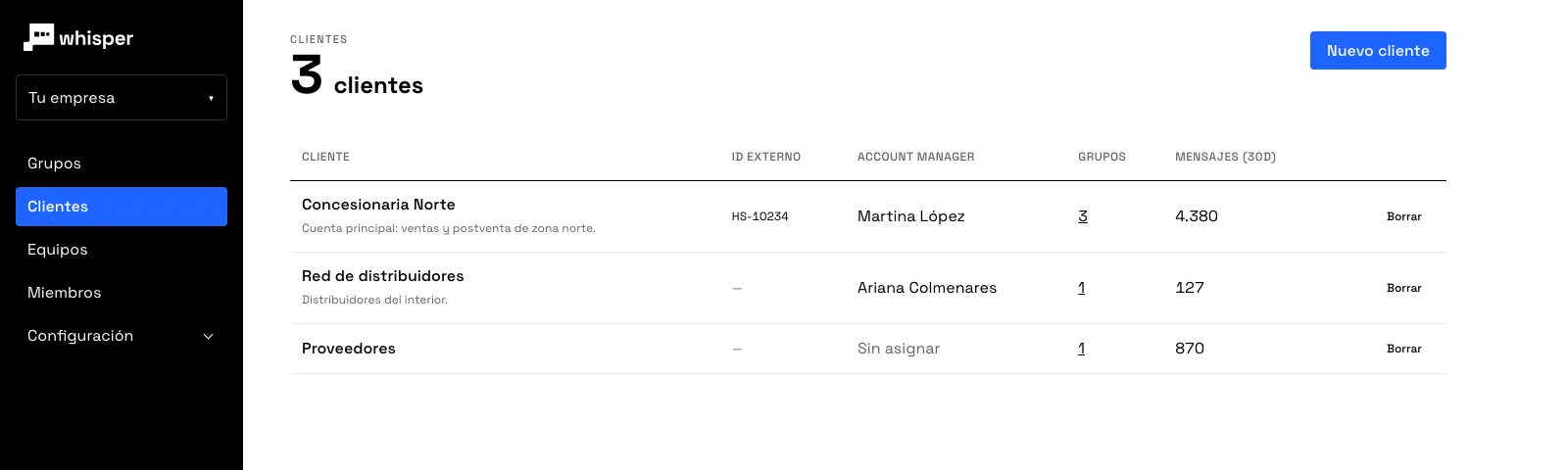
All their groups together, their account manager and your CRM id, so you can join the conversation with your deals and your sales.
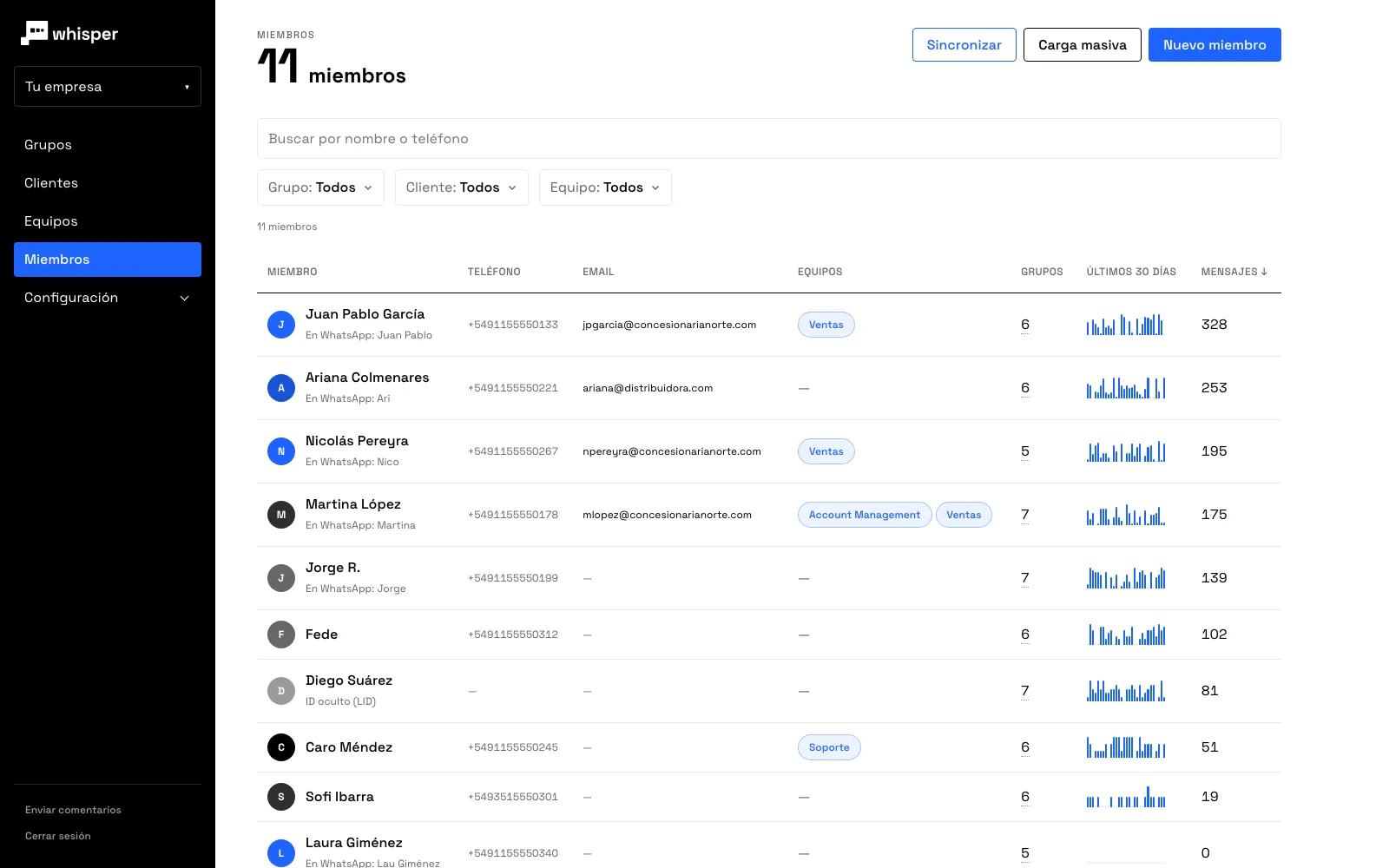
The activity of each person and each team, so you know where to reinforce before the customer notices.
No. whisper connects to the number you already use, the same way WhatsApp Web does, and the phone keeps working as usual.
No. They keep talking to customers on WhatsApp, in the same groups. If they want, they can also reply from the whisper web app and the message goes out from their number.
They are transcribed in Spanish as soon as they arrive: whisper is built for Spanish-speaking teams. What was said by voice note can be read, searched and reach a report or an AI agent without anyone listening to it.
Yes. Each whisper customer stores the id your CRM or ERP uses, so you can join conversations with your deals or accounts.
Through the API, which has public documentation. Each message arrives with its group, customer and team. If you do not have the agents built yet, we build them.
It depends on how many numbers you connect and how many groups and messages are active each month. Write to us and we will put together a proposal.
Tell us how many salespeople, numbers and groups you handle and we will show you whisper with a case like yours.
Already have an account? Sign in with the email you were invited with →
How can we help you today?
Esta página también está en español.
Leer en español →