Installation
- From your Tiendanube dashboard, go to My Applications.
- Search for Customer.io Tracker and install the app.
- Accept the permissions. You will be redirected to the settings panel automatically.
Settings
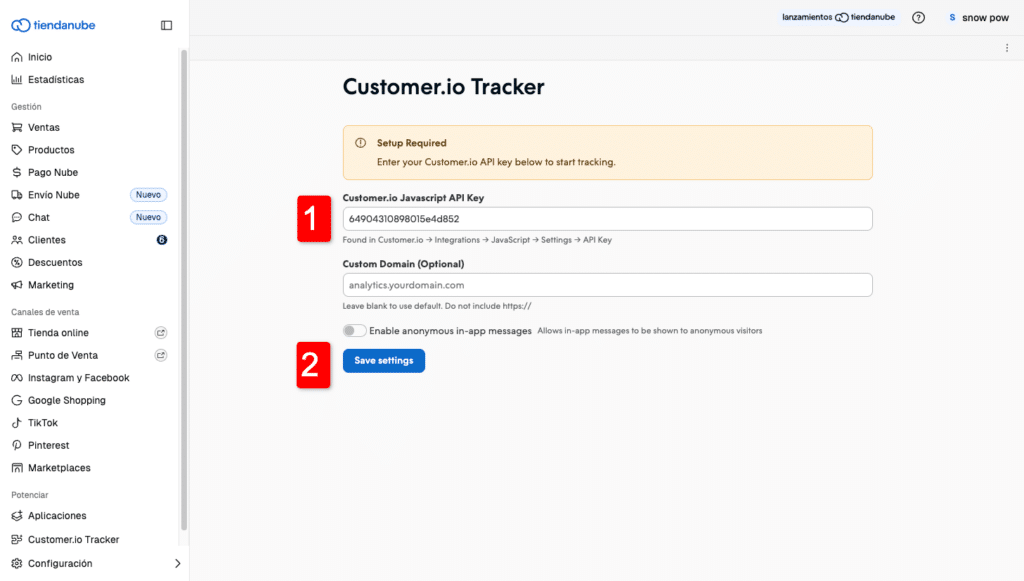
Once installed, open the app from your Tiendanube dashboard. There is a single field to fill in: your Customer.io API Key.
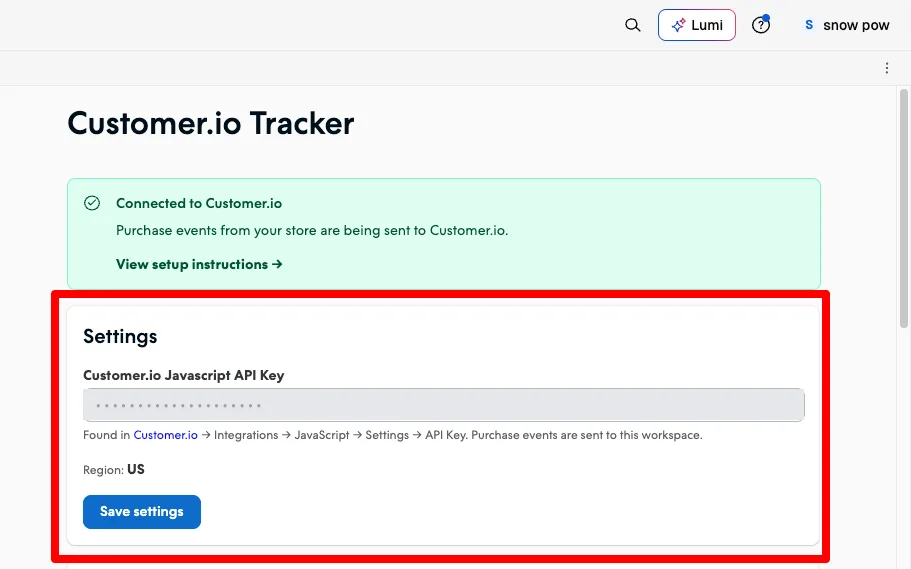
API Key (required)
This is the key that connects your store to your Customer.io account. To create it:
- Log in to your account at customer.io.
- Go to Integrations → Add Integration.
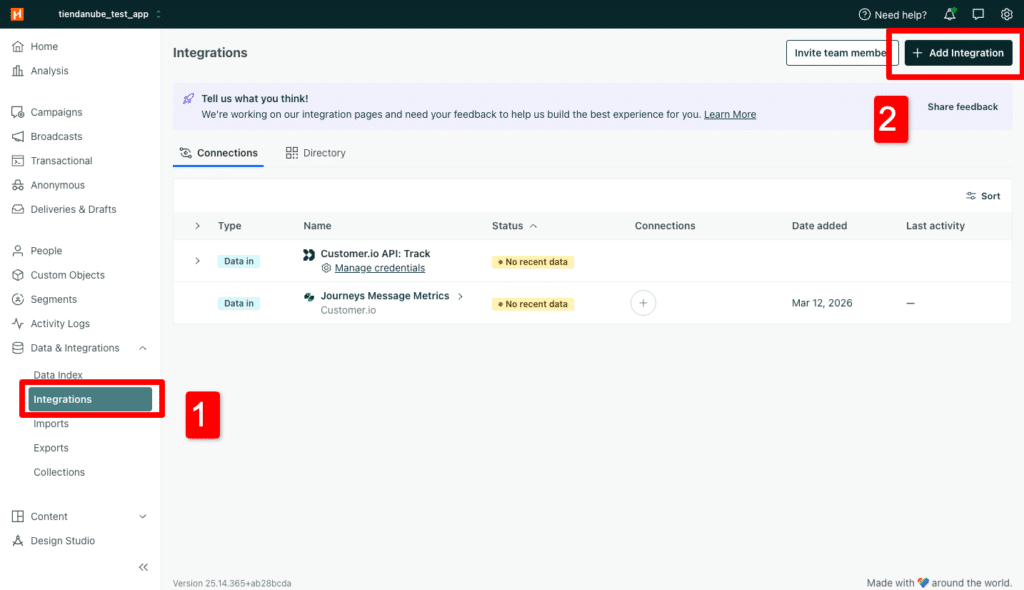
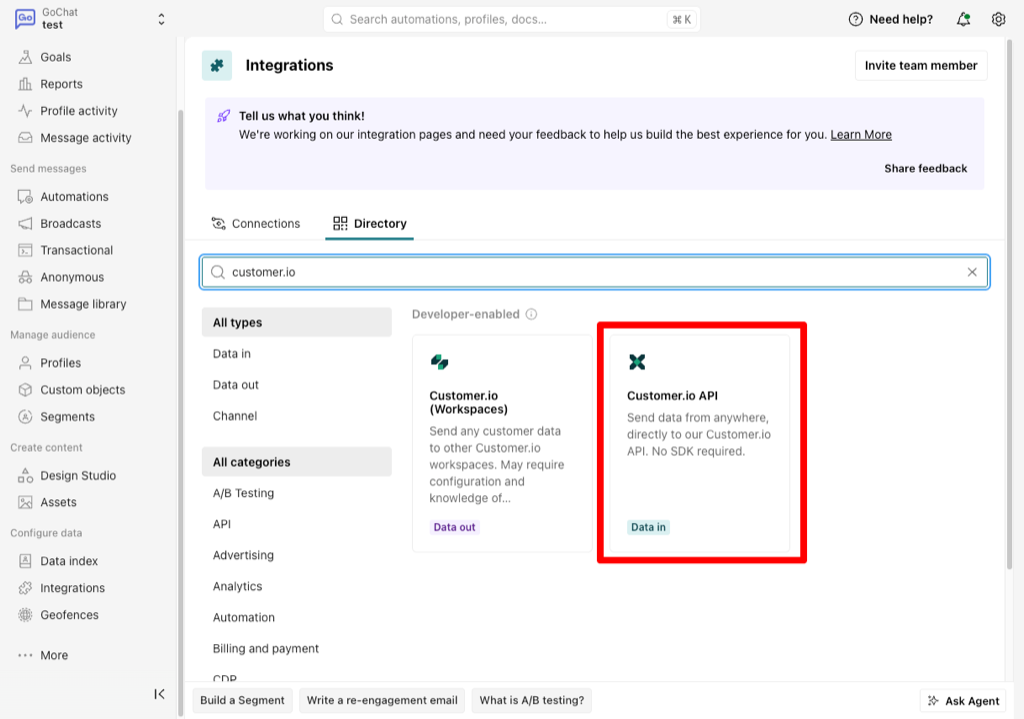
- In the Directory tab, search for customer.io and pick the Customer.io API card — not Customer.io (Workspaces), which is a different thing.
- Give it a name you will recognise, such as Tiendanube. The API Key appears on that same screen: copy it.
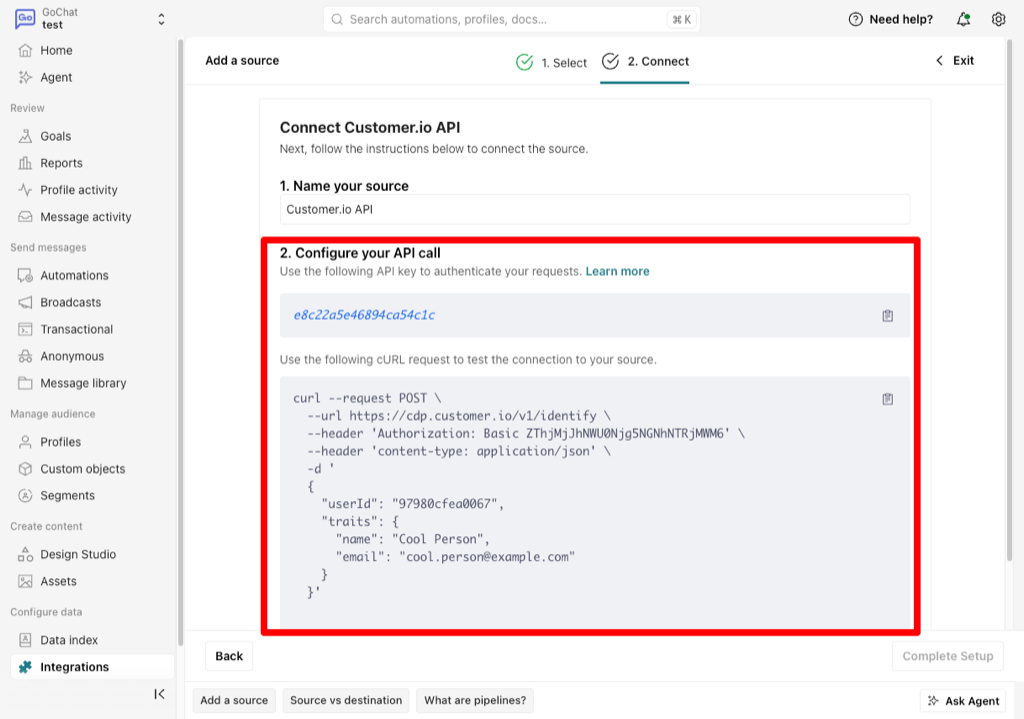
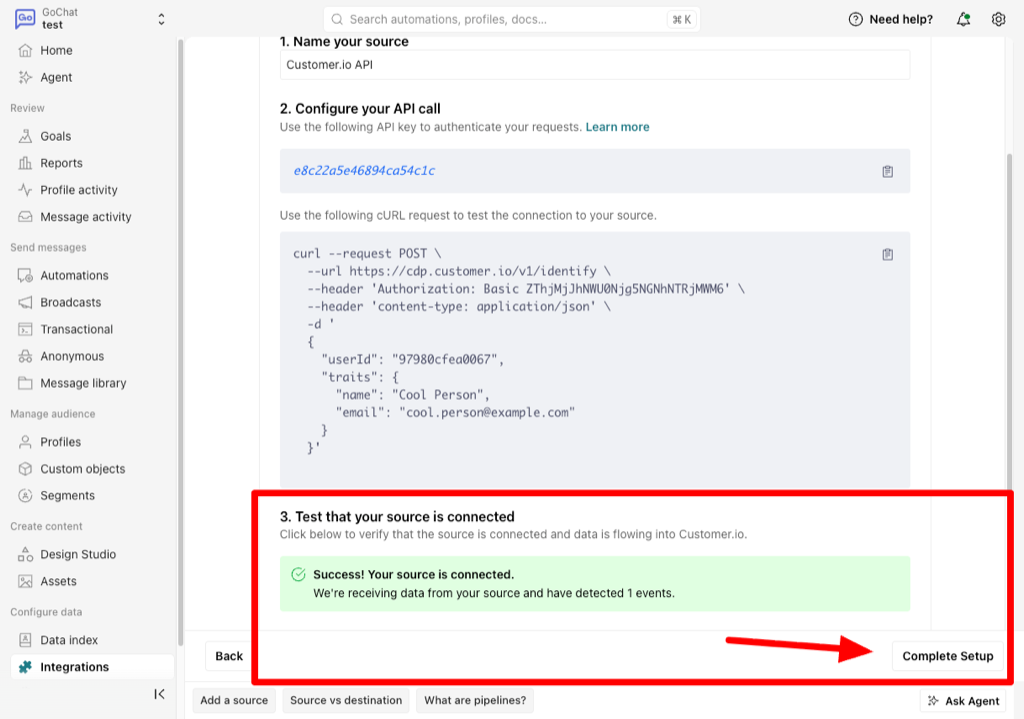
- Customer.io will not let you finish the integration until it receives data with that key: the same screen gives you a
curlcommand ready to copy, and a verify button then confirms the data arrived. If you don’t work with a terminal, send us the key at hello+tiendanube@hyppo.io and we’ll run the test for you. - Once the test passes, click Complete Setup.
- Paste it into the app’s field in Tiendanube and save.
The region is detected for you
Customer.io runs two regions, US and EU, and a key belongs to exactly one. You don’t pick it: the app resolves it from your key and shows it under the field. If the key doesn’t exist in your account, it tells you when you save instead of failing silently — the usual mistake is pasting the Site ID or the Track API Key, which belong to Journeys and won’t work here.
Which events are sent
From the moment you save the key, each of these store events reaches Customer.io with the person already identified by email:
order_created— an order was createdorder_paid— it was paidorder_fulfilled— it was fulfilledorder_cancelled— it was cancelledcustomer_created— a new customer signed up
On-store browsing (page views, cart activity) is not part of the app: it is set up separately and we handle it per store.
Frequently asked questions
Where do I find my Customer.io API Key?
In Customer.io, under Integrations → Add Integration → Customer.io API: you name it and the API Key is shown right there. It is not the Site ID or the Track API Key from Workspace Settings: those belong to Journeys and do not work with this app.
Which events does the app send to Customer.io?
Five: order_created, order_paid, order_fulfilled, order_cancelled and customer_created. Each one arrives with the person identified by email.
Does the app track my storefront visits?
No. The app sends purchase events from the server. On-store browsing is set up separately and we handle it per store.
Do I have to pick the US or EU region?
No. The app resolves the region from your key and shows it under the field. If the key does not exist in your account, it tells you when you save.
I saved the key but no events arrive.
Usually the app token is missing the orders permission, so the webhooks were never registered. The app shows a banner to reconnect it; once reconnected, events start arriving on their own.
Need help?
If you have trouble activating the app or the data is not showing up in Customer.io, write to us at hello+tiendanube@hyppo.io.
You might also want
Legal and privacy
The app processes data strictly to connect Tiendanube with Customer.io. We do not store your customers’ personal data on external servers.