Step 1: connect your Customer.io account
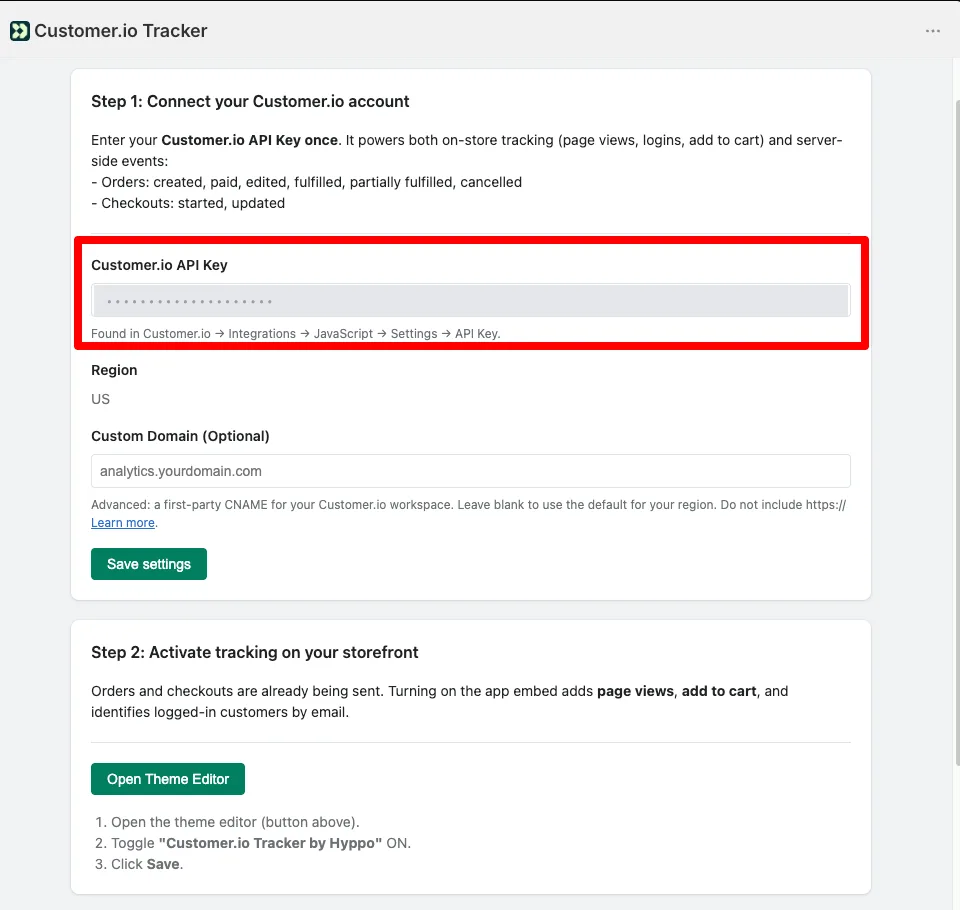
Open the app from your Shopify admin and paste your Customer.io API Key. You create it in Customer.io under Integrations → Add Integration → Customer.io API: name it and the API Key is shown right there.
- You enter it once, and it covers both halves of the tracking.
- You don’t pick your workspace region: the app resolves it from the key and shows it under the field.
- If the key doesn’t exist in your account, the app tells you when you save instead of failing silently. The usual mistake is pasting the Site ID or the Track API Key — those belong to Journeys and won’t work here.
- Custom Domain is optional: it sends tracking calls through your own domain so some blockers don’t cut them.
Step 2: activate tracking on your storefront
The app works as a Theme Extension, so you enable it in the theme editor. There is nothing to fill in there — the app supplies the key.
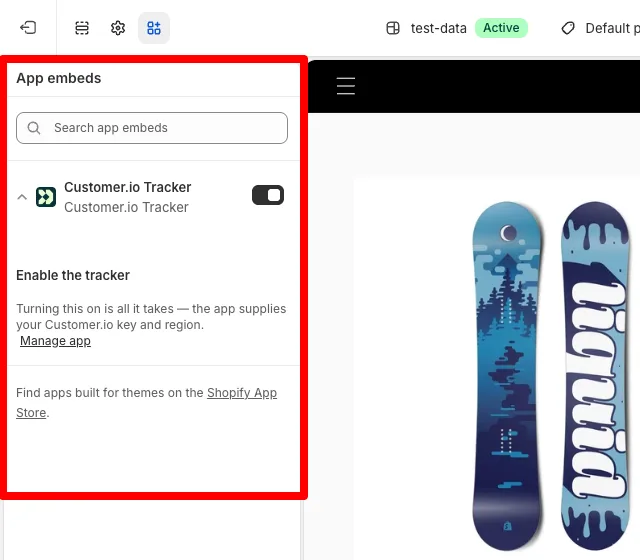
- Open the theme editor. In your Shopify admin, Online Store → Themes → Customize. The app panel also has a button that takes you straight there.
- Go to App embeds. The App embeds icon in the left sidebar.
- Enable the tracker. Find Customer.io Tracker and toggle the switch ON.
- Save. Hit Save in the top right corner.
What gets tracked
The two halves are independent, and it helps to know what each one adds:
- Without touching your theme, from the moment you save the key: orders (created, paid, edited, fulfilled, partially fulfilled, cancelled) and checkouts (started, updated). These come straight from Shopify to our server.
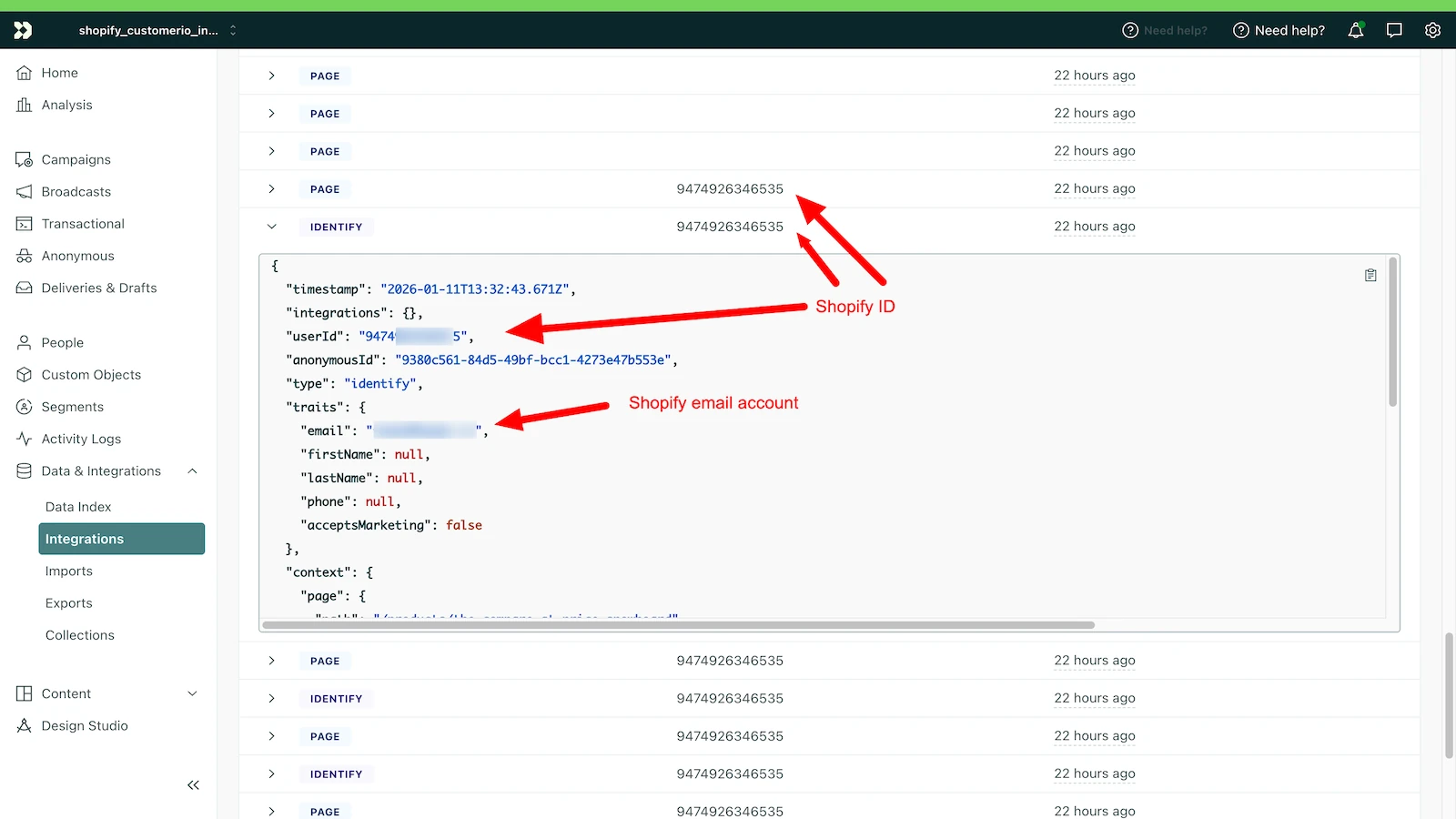
- With the app embed enabled, what only the browser can see: page views, add to cart, and the identify by email of logged-in customers, which is what ties browsing to purchases.
If you leave the embed off, anonymous visits and cart activity are not recorded anywhere.
How to check the data is arriving
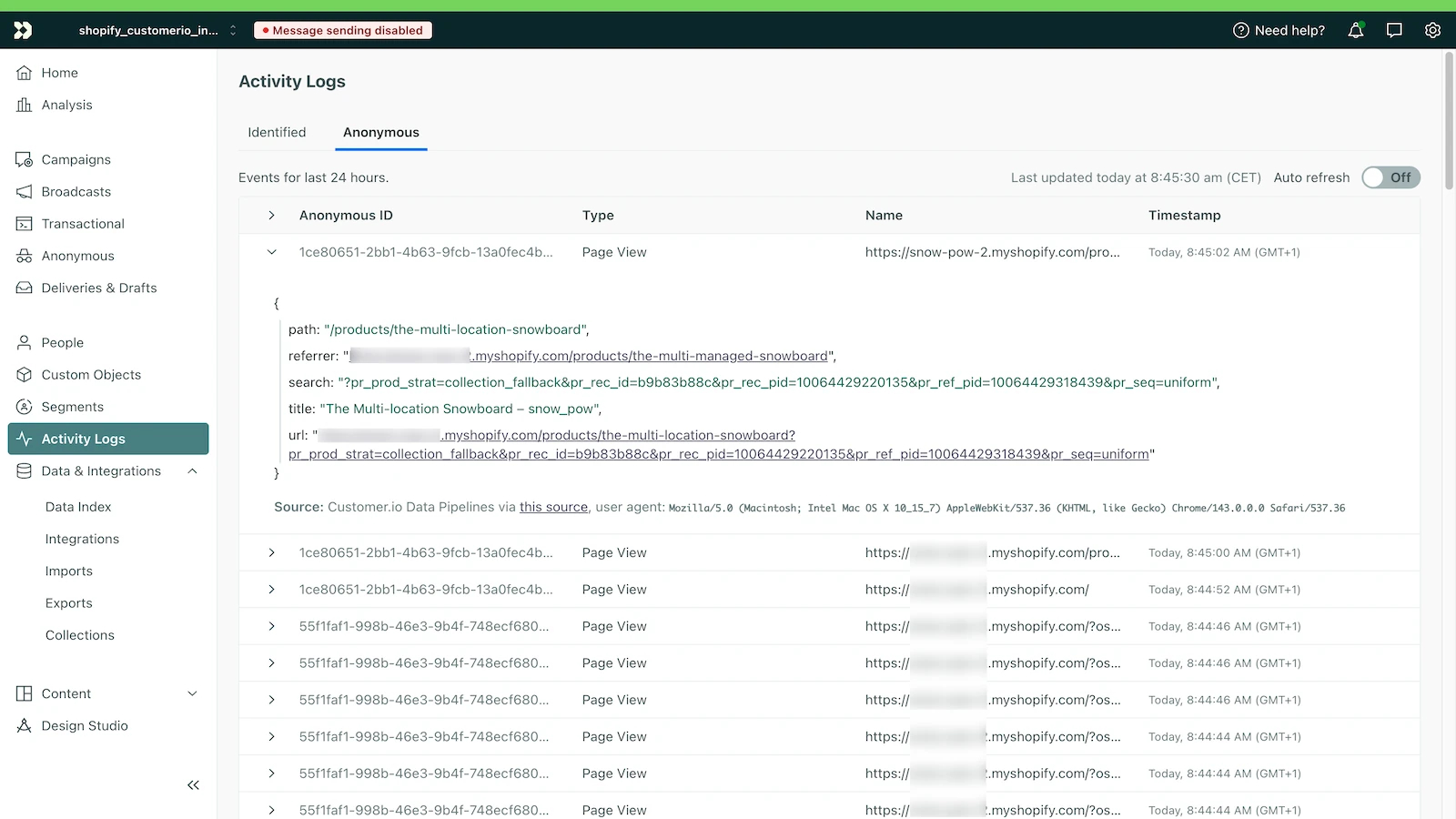
In Customer.io, Activity Logs shows events as they land. The Anonymous tab holds visitors who have not identified themselves yet; Identified holds the ones that arrived with an email or a Shopify ID.
Frequently asked questions
Where do I find my Customer.io API Key?
In Customer.io, under Integrations → Add Integration → Customer.io API: you name it and the API Key is shown right there. It is not the Site ID or the Track API Key from Workspace Settings: those belong to Journeys and do not work with this app.
Do I have to pick the US or EU region?
No. Customer.io runs two regions and a key belongs to exactly one. The app resolves it from your key and shows it under the field, so there is no way to get it wrong.
I saved the key but I see no page views in Customer.io.
Orders and checkouts arrive with no setup, but page views and add to cart need the app embed enabled in the theme editor. With the embed off, browsing is not recorded.
Do I need to paste the key into my theme as well?
No. There used to be two fields in the theme editor and they are gone: you enter the key once in the app panel and the theme reads it from there.
What happens if the key is wrong?
The app checks it against Customer.io when you save and will not store a key that does not exist in your account. It used to accept any text, and the events were lost with no error anywhere.
Need help?
If you have trouble activating the app or the data is not showing up in Customer.io, write to us at hello+shopify@hyppo.io. The app listing lives on the Shopify App Store.
You might also want
Legal and privacy
The app processes data strictly to connect Shopify with Customer.io. We do not store your customers’ personal data on external servers.